


Every day, you check the shared inbox, forward inquiries, and assign tasks. Meanwhile, someone is copying data from one system to another. These are rarely scheduled separately, yet they take up a significant part of the workday.
It’s worth starting process automation with tasks that repeat frequently and mostly follow the same steps. In the following five areas, even a small change can make work easier.
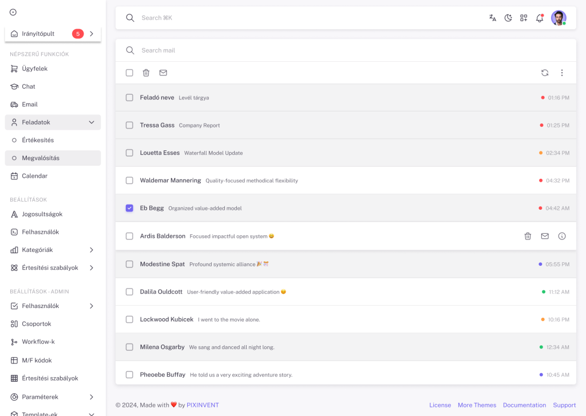
Sorting Incoming Emails
If requests for quotes and invoices arrive in the same inbox, someone has to regularly forward them. In many cases, this can be solved with simple rules based on the sender or the subject. Artificial intelligence can also be used to interpret the content of the email, but uncertain messages should be directed to a staff member.
For example, invoices can go to the finance department, and requests for quotes can become tasks for sales. To get started, review previous emails and collect exceptions as well. If a message contains both an invoice and a complaint, you must decide in advance who should receive it. Initially, it’s worth checking the sorted messages and refining the rules based on any misclassifications.
Following Up on Quotes
A callback task can be automatically created a few days after a quote is sent. To do this, the time of sending and the person responsible for the case must be recorded. If you also want to send a reminder email, the system must track whether a response or order has already been received.
An automatic task can be useful even if you handle the contact personally. The salesperson sees the history and can decide whether to call, write, or wait. However, closed and rejected quotes must be removed from active follow-up. Otherwise, the system will fill the task list with unnecessary items.
Launching New Jobs
With a new order, you often request the same data and assign similar tasks. These can be turned into a pre-set sequence of tasks. When the order reaches the appropriate status, the related tasks are created with the assigned owners. Deadline calculations and exceptions must be clarified in advance.
For a service business, for example, a project can be created after an accepted quote, and then it can be the contact person’s task to request the materials needed to start. The next work phase should only start after these are received. If all tasks appear at once, it can easily seem like the team can already work, while an important document or approval is still missing.
Preparing Invoices
Extracting data from incoming invoices and forwarding them for approval can be partially automated. However, incorrectly recognized data, duplicate invoices, and differing amounts must be checked. It remains the approver’s job to decide if the item is in order.
Here, you also need to think about what happens if recognition fails or if a matching order cannot be found for the invoice. Such items should go for separate review. The system should indicate that someone needs to deal with it, so it doesn’t go unnoticed in an unprocessed folder.
Handling Recurring Customer Questions
A chatbot can answer common questions about shipping or services, for example. This requires up-to-date background material. It must pass on unique cases, and it should be clear to the customer how they can reach a staff member.
The answers provided to the chatbot must be maintained just like website content. If shipping fees or service terms change, the background material must also be updated. It can only provide a reliable answer about the status of a specific order if it has access to the necessary, current data and customer identification is resolved. Without this, it should stick to general information.

Choosing the First Process
To start, look at which recurring task takes up how much time in an average week. Choose a process that is easy to define and try automation on it. Include the time spent on checking and corrections in the result.
When Artificial Intelligence is Needed
Part of process automation can be solved without AI. If the same step always follows a specific event, a pre-set rule is often enough. This could be when a confirmation and internal notification are created after a form is submitted.
Artificial intelligence can be considered when variable text needs to be interpreted, such as recognizing the topic of a longer customer email. In such cases, you must account for incorrect results. There should be a designated person responsible for checking, especially if the response or classification triggers further action.
Plan for Error Handling Too
One of two connected systems may become temporarily unavailable, or a data field may change. Clarify in advance who receives notification of the error and how work can be continued manually in the meantime. Repeated processing should not create two cases or two tasks from the same email.
For the first trial, you need a few typical cases and a few exceptions. It’s worth using the solution more widely once you can see what runs automatically and what goes back to the staff. This way, subsequent monitoring will also be more predictable.
DigitalCave’s process optimization service helps you review current operations and select the tasks where it’s worth starting automation.